


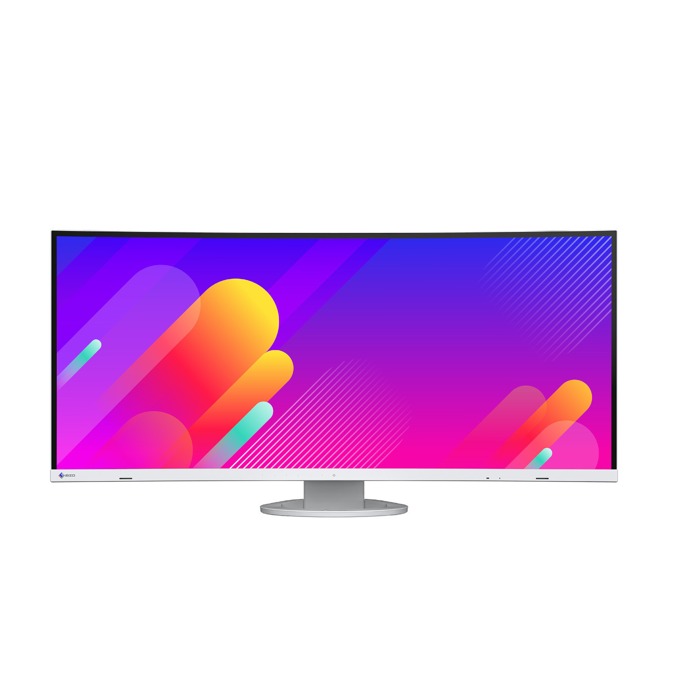
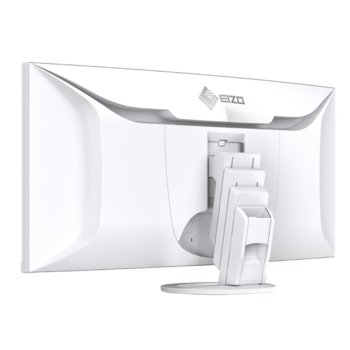
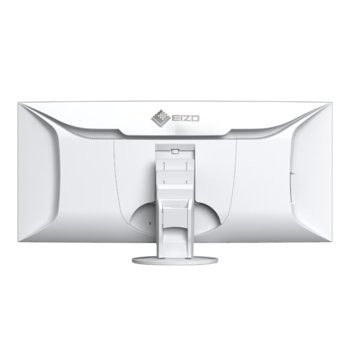
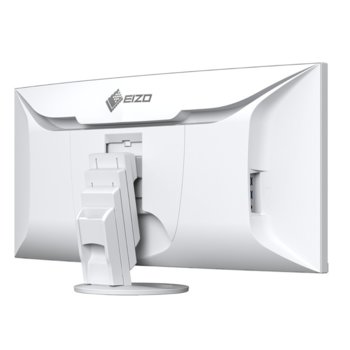
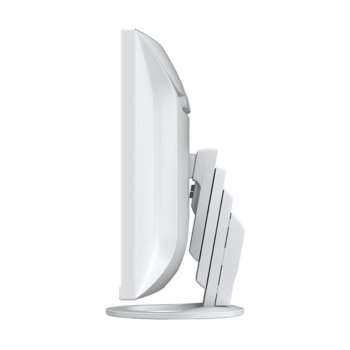
Eizo EV3895-WT
Unlimited space, comfortable visibility
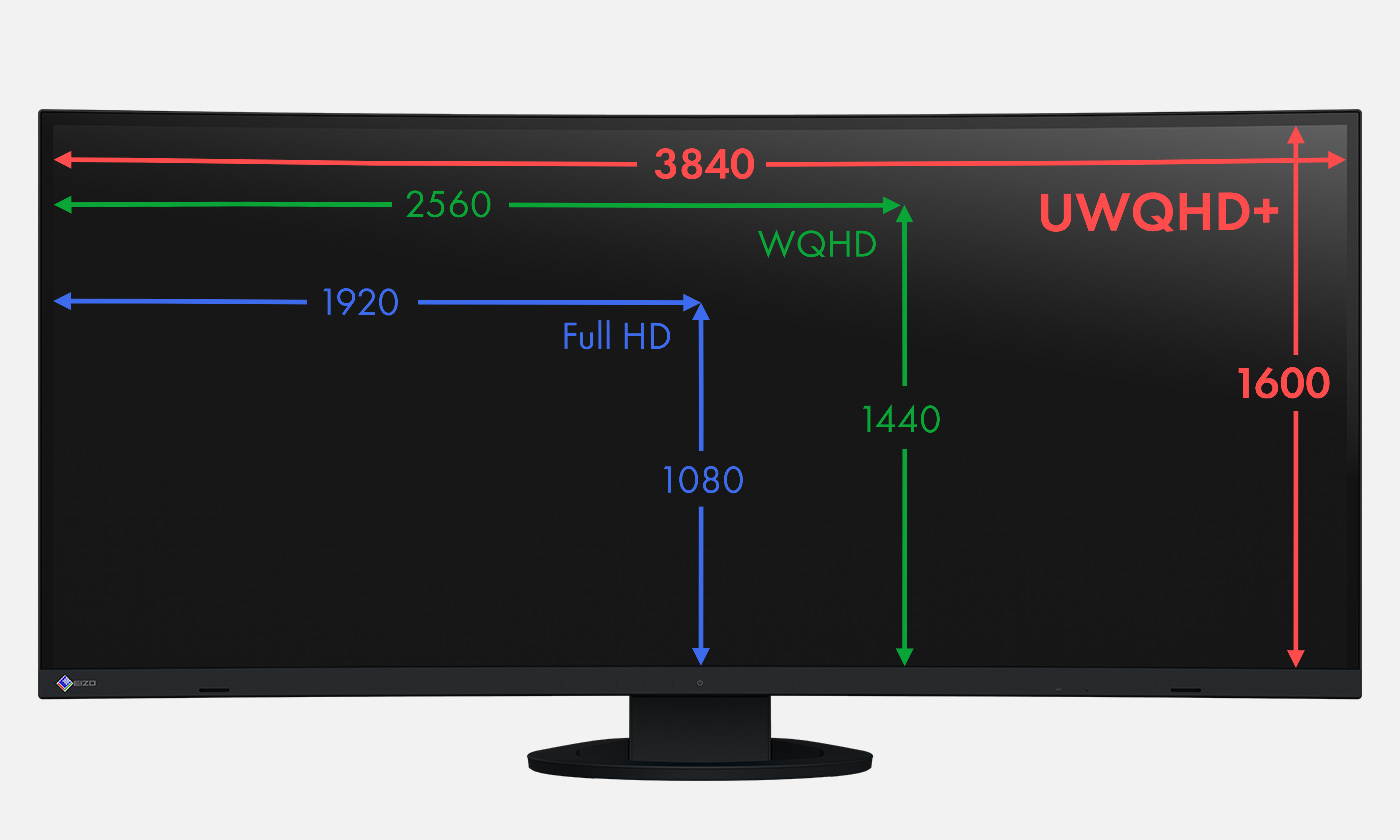
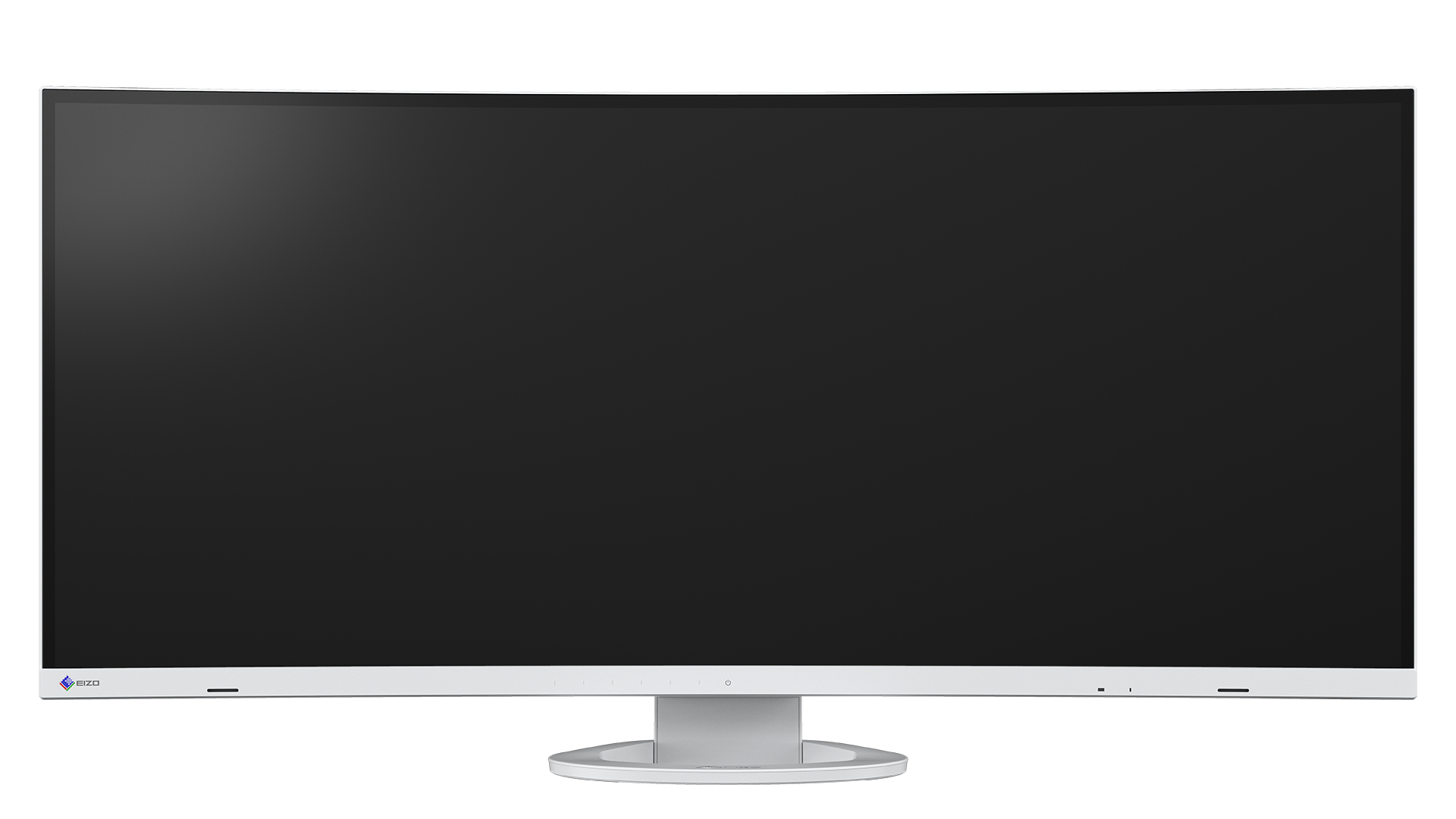
The 37.5-inch EV3895-BK monitor features an ultrawide 24:10 aspect ratio. The 3840 x 1600 resolution (UWQHD+) provides almost three times the resolution of a Full-HD monitor. The massive screen area means there’s plenty of space to run multiple applications, with no need for additional monitors.
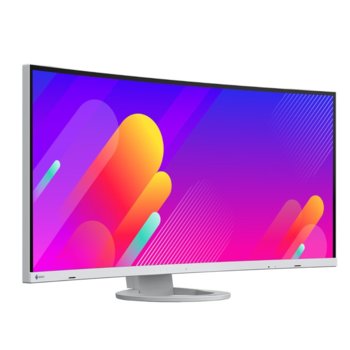
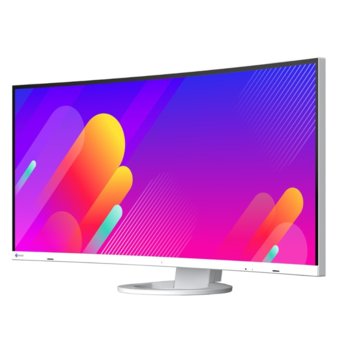
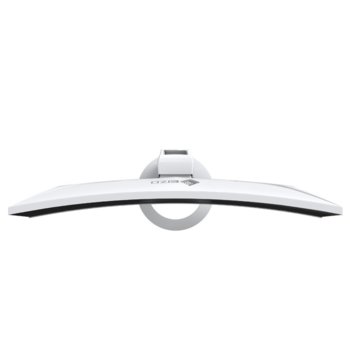
The curved design ensures comfortable visibility. The distance between your eyes and the screen increases towards the edges, something that becomes even more obvious when you sit closer to the monitor. In contrast to a consistently flat surface, the monitor’s curvature gives you a better view of the sides of the screen.
Elegant design
The look of a monitor can be key to creating a pleasant working environment. Whether you’re at home or in the office, the monitor’s minimalist design and ergonomic features allow it to fit naturally into your workplace environment.
Thanks to its virtually frameless housing and slim, stable stand, the monitor requires very little space despite its large screen size, meaning the EV3895-BK leaves plenty of space to work comfortably, even on smaller desks.
The housing is available in an elegant black or in white, with matching white cables.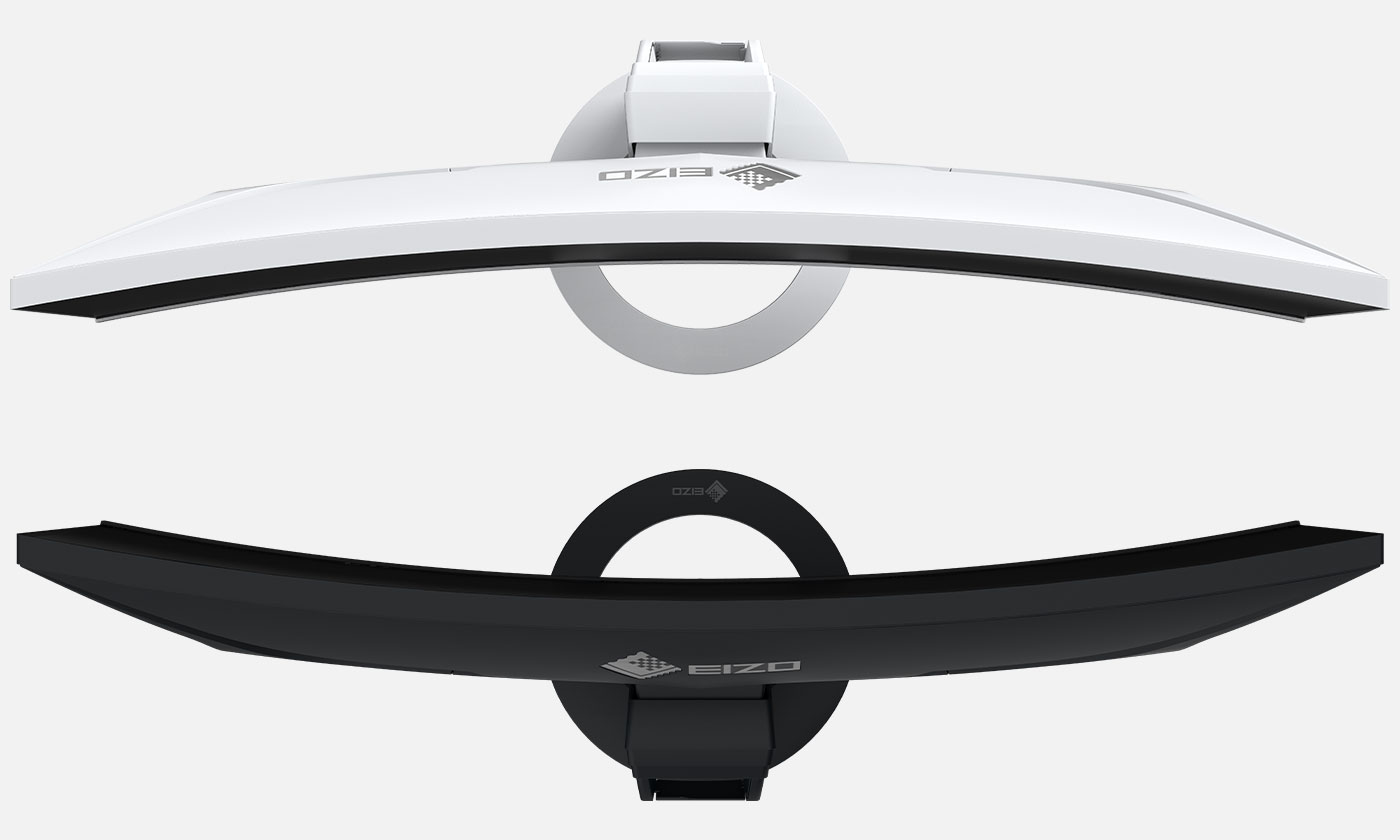
Controls integrated into bezel
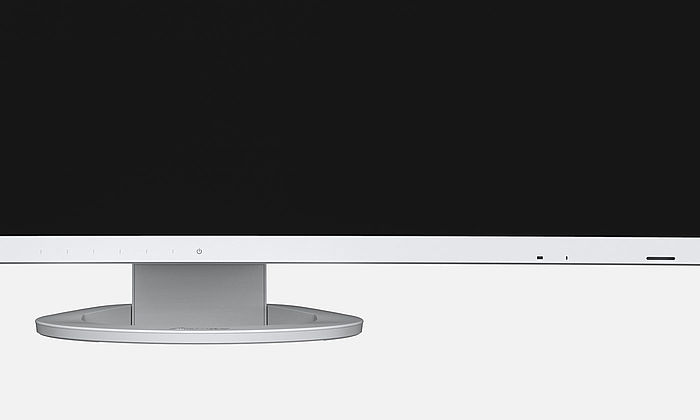
Electrostatic switches are integrated into the front of the EV3895-BK instead of mechanical buttons. This ensures ease of use while also giving the monitor an extremely elegant look. The speakers and all the controls are also built into the bezel, pointing forward in the direction of the user. They are fully integrated into the monitor’s flat, nearly frameless design to offer an excellent user experience.
Tidy cable routing
A multitude of connection options means lots of cables.The EV3895-BK is clutterless, since it is equipped with a cable duct and a detachable backplate. These features make sure the back of the device is kept nice and tidy, rounding off the very sophisticated design.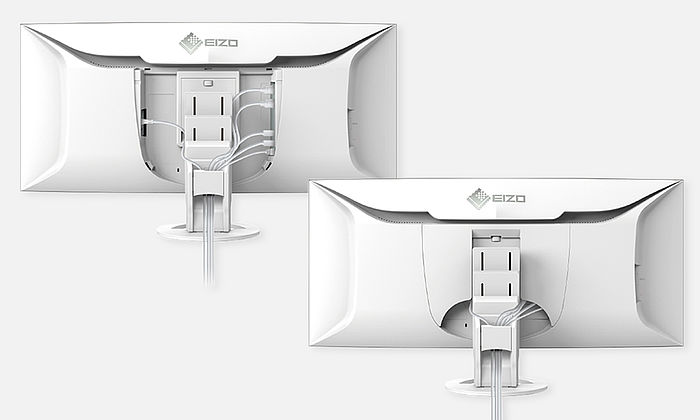
One monitor, many ports
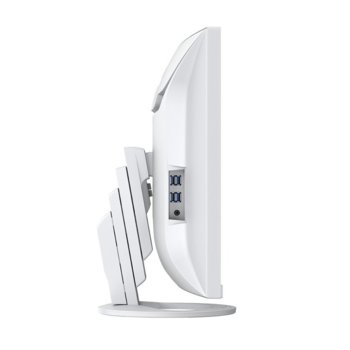
The EV3895-BK comes with four easily-accessible USB-A downstream ports on the side, which means various peripherals can be connected without a separate USB hub. This is useful if your laptop only has a limited number of USB ports, for example, or if you want to optimise the set-up of your workstations for hot-desking or in a home office environment. The monitor also has USB-C and DisplayPort video inputs as well as two HDMI ports for total connection flexibility. The ports can be easily accessed on the back of the monitor.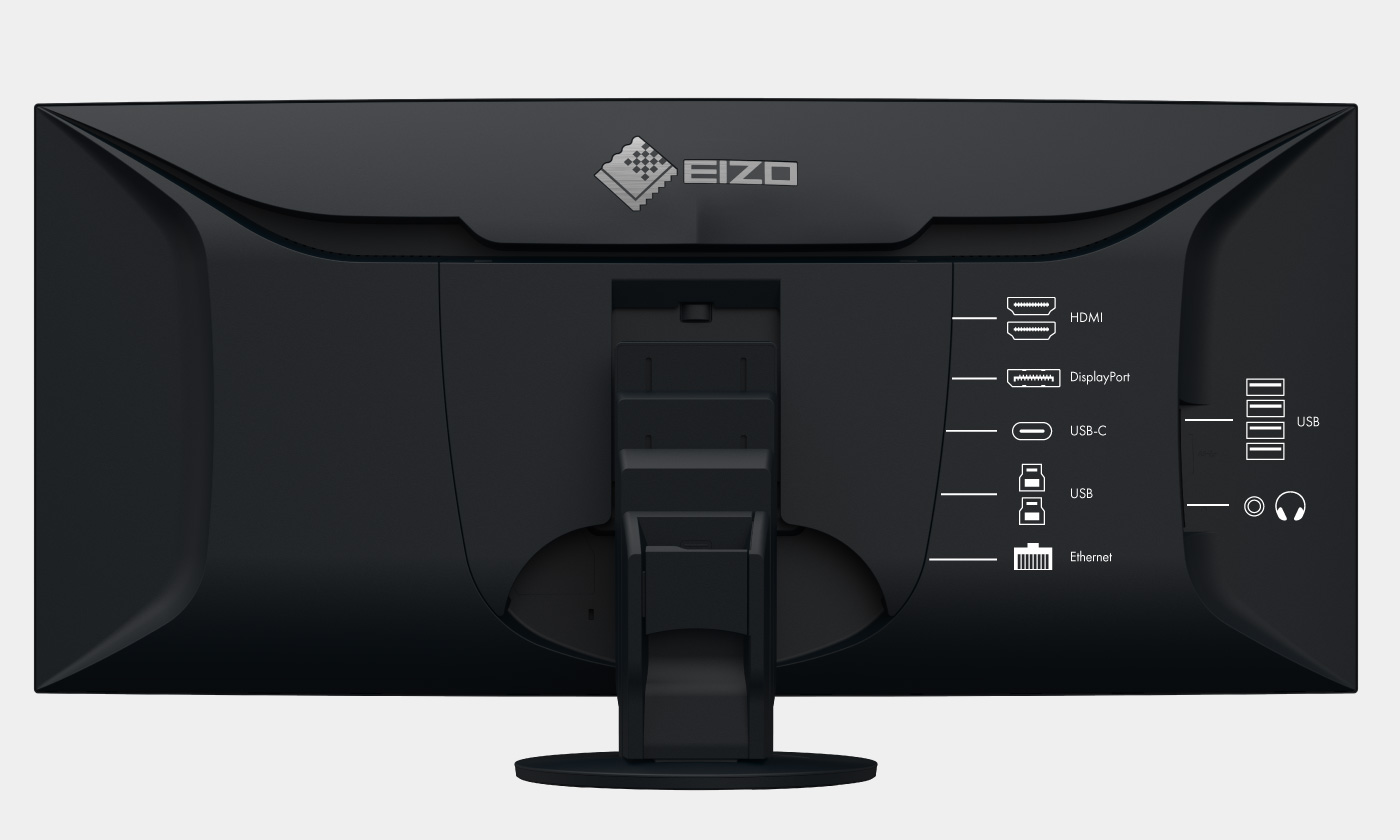
Cutting-edge connectivity with USB-C
Video and audio reproduction, rapid data transfer, including network signal and power supply for connected devices – all this and so much more is possible with a single USB-C cable. The EV3895-BKwill become your central docking station to which you can quickly and easily connect your laptop. This is especially practical if you have multiple workstations or switch between working in an office and at home. The 85-watt power supply via USB-C reliably charges small computers or laptops, giving you more desk space since an additional power supply is no longer necessary for the computer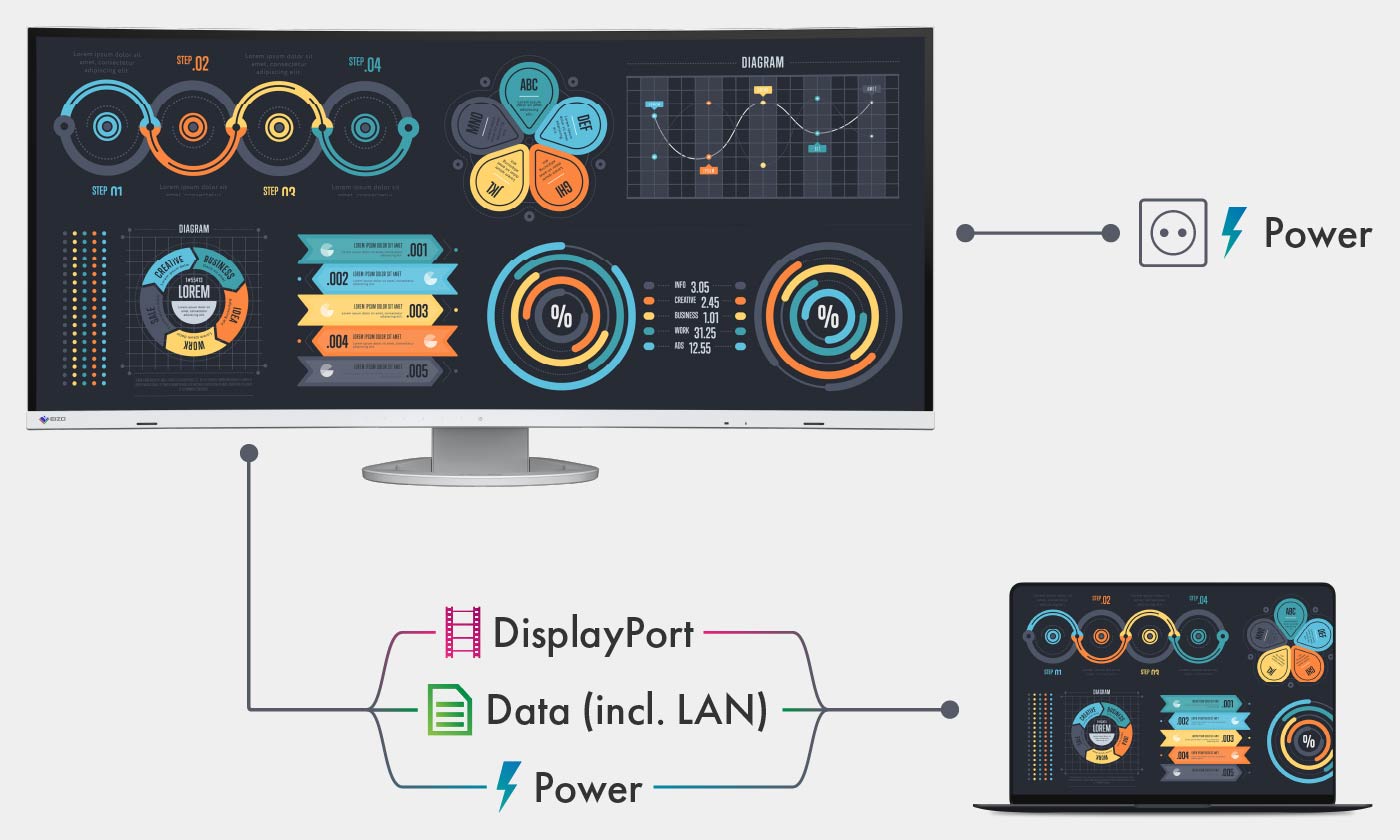
LAN port to ensure a stable network connection
The monitor has a dedicated LAN port to ensure a stable wired network connection. Laptops and PCs require only one USB-C cable to be connected to the EV3895-BK to gain network access via the monitor. This is particularly advantageous for laptops that do not have a LAN connection and allows for fast and stable data transfer, which is required for video conferences, for example.
Picture-by-picture: everything at a glance
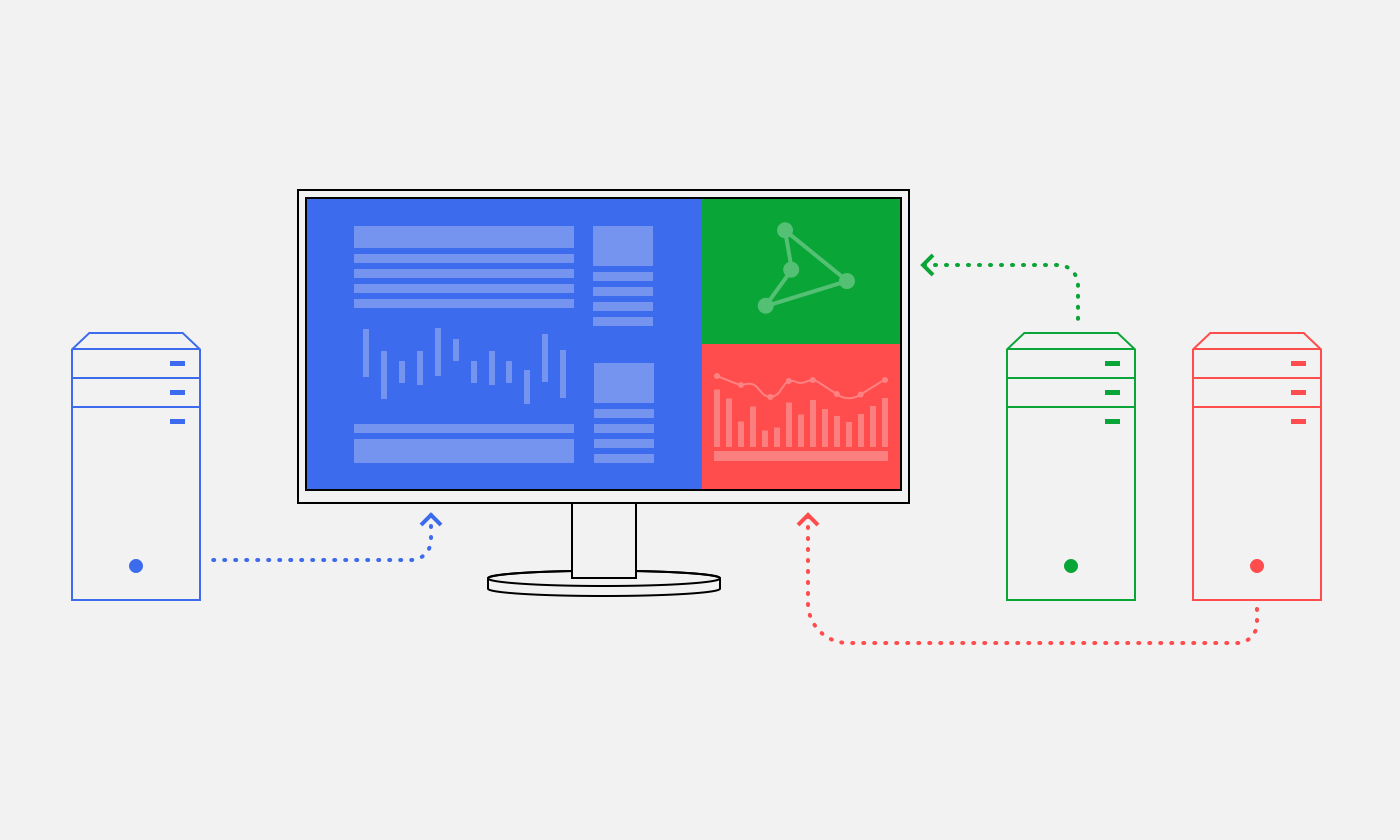
If multiple computers are connected with the monitor, picture-by-picture mode allows you to view up to three signal sources on the screen independently. This saves time and means you don’t have to switch constantly between different video and audio sources.
Pre-set picture-by-picture layouts are available at the push of a button, allowing you to comfortably display multiple applications in different sizes.
Thanks to the monitor’s USB selection functionality (KVM switch), you can also use a single mouse and keyboard to operate multiple computers via the relevant area of the screen.
Спецификации:
Areas of application: Office, Gaming
Product line: FlexScan
Screen size [in inches]: 37.5
Screen size [in cm]: 95.3
Format: 24:10
Radius [mm]: 2300
Viewable image size (width x height): 879.7 x 366.5
Ideal and recommended resolution: 3840 x 1600
Pixel pitch [mm]: 0.229 x 0.229
Pixel density [ppi]: 111
Resolution supported: 3840 x 1600, 3440 x 1440, 2560 x 1600, 2560 x 1440, 1920 x 1200, 1920 x 1080 (Full HD), 1680 x 1050, 1600 x 1200, 1280 x 1024, 1024 x 768, 800 x 600, 720 x 400, 640 x 480
Panel technology: IPS
Max. viewing angle horizontal: 178°
Max. viewing angle vertical: 178°
Number of colours or greyscale: 16.7 million colours (display port, 8 Bit), 16.7 million colours (HDMI, 8 Bit), 16.7 million colours (DVI, 8 Bit)
Colour palette/look-up table: 1.06 billion colour tones / 10 Bit
Max. colour space (typical): sRGB
Max. brightness (typical) [in cd/m²]: 300
Max. dark room contrast (typical): 1000:1
Typical response time [grey/grey alternation]: 5ms
Max. refresh rate [in hertz]: 60
Backlight: LED
USB-C docking
LAN supported
Preset colour/greyscale modes sRGB, Paper, DICOM, Movie, 2x free modes for user selection
DICOM tone curve
RadiCS application classes VIII
Auto EcoView
EcoView Index
EcoView Optimizer
Overdrive
No flickering thanks to hybrid controls
HDCP Decoder
Input signal identification
KVM switch
Picture-by-Picture: incl. USB port assignment and picture swap
Built-in speakers
OSD language de, en, fr, es, it, se
Adjustment options Brightness, Contrast, Gamma, All EcoView functions, Colour saturation, Colour temperature, Resolution, Colour Mode, Colour tone, Overdrive, Volume, Audio source, Signal input, Picture-by-Picture, Picture Swap, USB Port Switch, OSD language, Interpolation, Audio input (USB-C, DisplayPort/HDMI)
Button Guide
Integrated power unit
Signal inputs USB-C (DisplayPort Alt Mode, HDCP 1.3), DisplayPort (HDCP 1.3), 2x HDMI (HDCP 2.2/1.4)
USB specification: USB 3.1 Gen 1
USB upstream ports: 1 x type C (DisplayPort Alt Mode, LAN, 85 W max.), 2 x type B
USB downstream ports: 4 x type A (1 x 10.5 W battery charging function)
LAN standards: RJ-45 (LAN pass through to USB-C), IEEE802.3ab (1000BASE-T), IEEE802.3u (100BASE-TX), IEEE802.3(10BASE-T)
Video signal: USB-C, DisplayPort, HDMI (YUV, RGB)
Audio input: USB-C, DisplayPort, HDMI
Audio output: 3.5 mm stereo jack
Frequency: USB-C: 31-99 kHz/ 29-31 Hz, 59-61 Hz, DisplayPort: 31-99 kHz/ 29-31 Hz, 59-61 Hz, HDMI: 31-99 kHz/ 29-31 Hz, 49-51 Hz, 59-61
Power consumption (typical) [in watt] 28
Maximum Power Consumption [in watt] 194 ( at maximum brightness with all signal inputs and USB ports in use)
Power Save Mode [in watt] 0.5
Power consumption off [in watt] 0
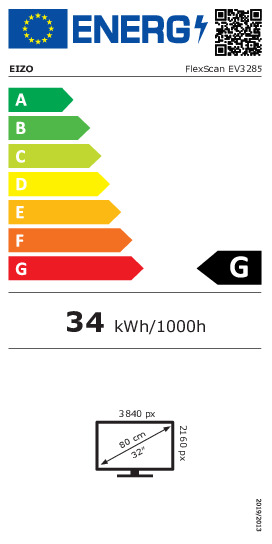
Energy-efficiency class A
Annual energy consumption [in kWh] 51
Power supply AC 100-240V, 50/60Hz
Power management
Dimensions [mm]: 893,9 x (411 - 603,7) x 240
Weight [in kilograms]: 13.2
Dimensions without stand [mm]: 893,9 x 398,2 x 109,8
Weight without stand [in kilograms]: 9.5
Swivel 70°
Incline forward/backward: 5 ° / 35 °
Height adjustment range [mm]: 192.7
Hole spacing: VESA standard: 100 x 100 mm
Certification CE, CB, TCO certified 8.0, EPA Energy Star, TÜV/GS, TÜV/Ergonomics (including ISO 9241-307), TÜV/Blue Low Light Content, TÜV/Flicker Free, EPEAT 2018 (US), cTÜVus, TÜV/S, EAC, PSE, FCC-B, CAN ICES-3 (B), RCM, VCCI-B, CCC, RoHS, China RoHS, WEEE
Accompanying software and other accessories are available for download: Screen InStyle
Additional supply: Power cord, Signal cable USB-C – USB-C (5 A), Signal cable HDMI - HDMI, Signal cable DisplayPort - DisplayPort, 2x USB cable (Type A - Type B), Quick guide, Cable protection
Accessories: EIZO ScreenCleaner (for the best possible clean without scratching the monitor), PM200-K (DisplayPort cable to transfer digital video and audio signals.), CC100-BK (Short USB-C port cable, 100 cm), PCSK-03-BK (Thin client mount for the stand EIZO FlexStand 4/FlexStand 5), PP100-K (Short DisplayPort connection cable, 100 cm)
Виж още Монитори Eizo
Виж всички Монитори в категорията
 Енергиен етикет
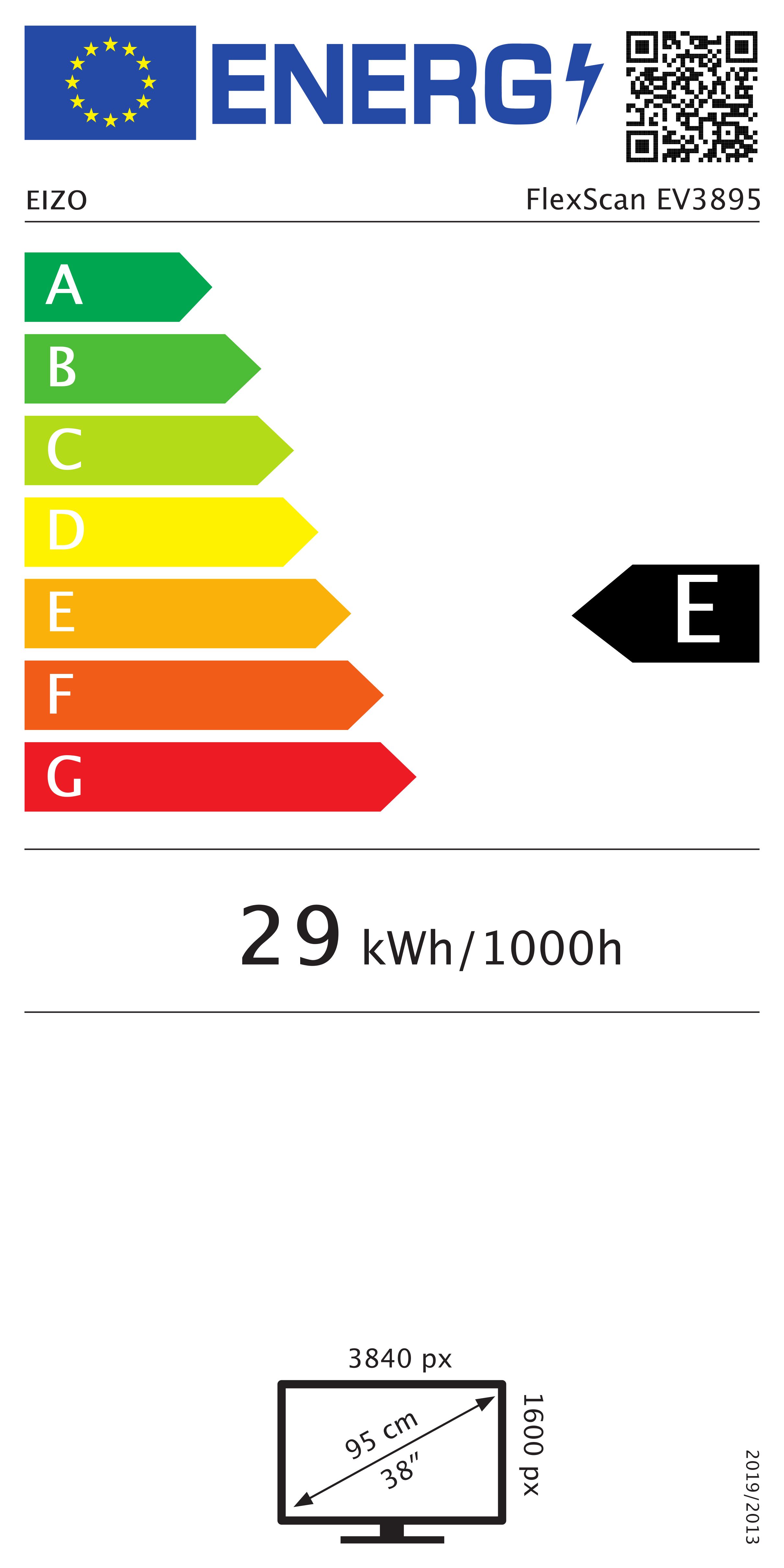 Енергиен етикет на ЕС
 360
360| HDMI: | Да |
|---|---|
| DisplayPort: | Да |
| USB Type-C: | Да |
| USB Type-А: | Да |
| Екран размер: | 37.5" (95.25 cm) |
|---|---|
| Гама: | Професионален |
| Разделителна способност (max): | 3840 x 1600 |
| Тип матрица: | IPS |
| Аспект изображение: | 24:10 |
| Честота на опресняване: | 60 Hz |
| Време за реакция: | 5 ms |
| Яркост: | 300 cd/m² |
| TV Тунер: | Не |
| Тъчскрийн: | Не |
| Вградени колони: | Да |
| 3D: | Не |
| Цвят: | Бял |
| Формат екран: | UltraWide |
| Извит: | Да |
| Преносим: | Не |
- 5
0 ревюта
- 4
0 ревюта
- 3
0 ревюта
- 2
0 ревюта
- 1
0 ревюта
-
 Какво пазаруват другите
-
 Най-продавани продукти
-
 Промоционални продукти
-
162.93 €
-
121.41 €
-
198.98 €
-
249.06 €
-
154.89 €
-
254.99 €
-
329.99 €
-
357.08 €
-
198.98 €
-
126.41 €
-
329.99 €
-
329.99 €
-
78.34 €
-
113.71 €
-
366.30 €
-
154.89 €
-
418.99 €
428.99 € -
168.98 €
174.99 € -
75.82 €
-
108.38 €
-
314.98 €
-
314.98 €
-
314.98 €
-
120.11 €
-

105.58 €
-
91.12 €
-
 Монитор Dell SE2726HG, 27" (68.58 cm) IPS панел, 240Hz, Full HD, 0.5ms, 300 cd/m2, DisplayPort, HDMI
128.99 €
-
104.12 €
-
1911.00 €
-
187.87 €
-
909.24 €
-
78.73 €
-
202.04 €
-
104.47 €
108.46 € -
77.22 €
-
168.98 €
174.99 € -
84.85 €
-
168.98 €
174.99 € -
438.99 €
479.99 € -
238.98 €



Монитор BenQ PD2770U (9H.Y0ELB.QBE), 27" (68.58 cm) IPS панел, 4K/UHD, 5ms, 450 cd/m2, DisplayPort, HDMI, USB1713.47 €
Монитор LG 45GX90SA-B, 45"(114.3cm)Curved OLED панел, 240Hz, 0.03ms, 275cd/m2, DisplayPort, HDMI, USB-C1680.89 €
Монитор Samsung Odyssey 3D G90XF (2025)(LS27FG900XUXEN), 27" (68.58 cm) IPS панел, 165Hz, 4K/UHD, 1ms, 350cd/m2, DisplayPort, HDMI, USB1588.88 €